Exporting OBS Templates
Why export templates? Exporting OBS templates is helpful for practices that use multiple computers with their goggles.
Avoid repeat setup, instead of configuring OBS on every device, the template can be created once.
Easy distribution, the exported template can be copied to each computer in the practice.
Consistency benefits, every device will have identical settings, reducing errors and setup time.
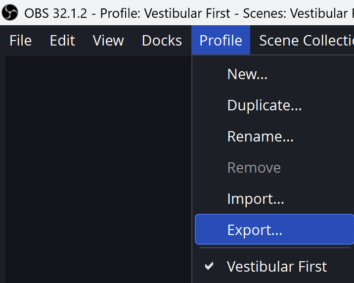
Click Profile at the top of OBS then left click Export…
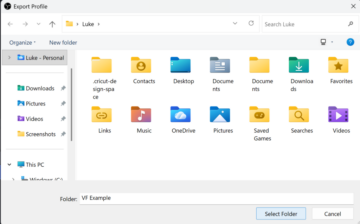
Select the destination folder for the template.
Once saved, share the template to any computer or user that will use the goggles.
Import the template by following the instructions on this page to ensure the same pair of goggles can be used consistently across different computers.