
Fixing Camera Zoom
This guide can be difficult. If you are confused or don’t understand, you can go to this guide, “How to download, import, and activate templates to OBS“, which contains another fix.
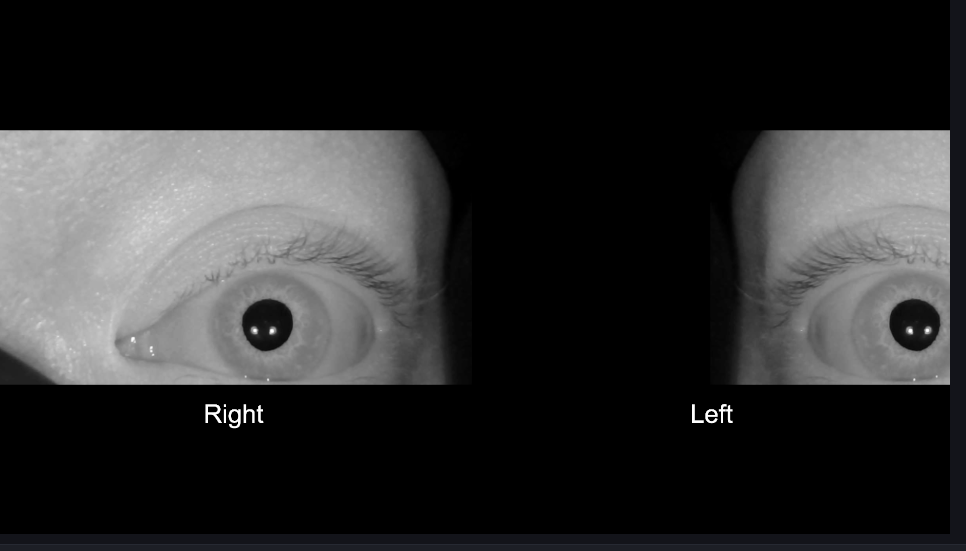
A. If either eye is not clearly visible, as shown in the image on the right, the zoom in OBS needs to be reset.
B. Whichever camera’s zoom is correct, go to that scene, either 1 Left or 2 Right.
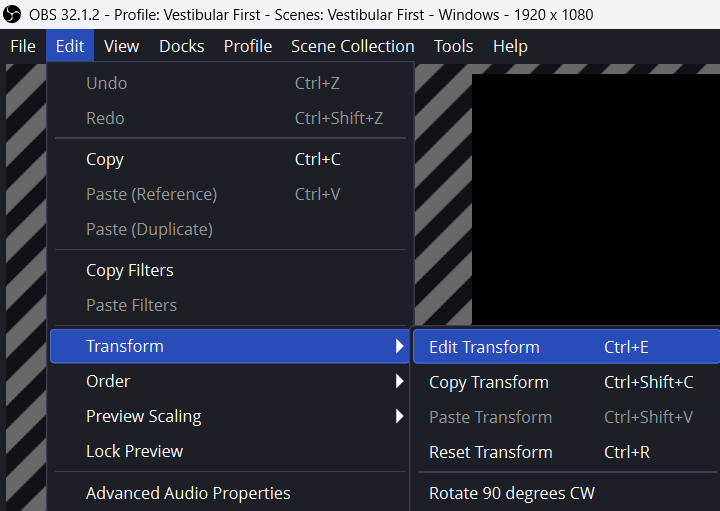
C. Left-click Edit in the top left corner of OBS.
Then click Transform and select Edit Transform.
This opens a pop-up window.
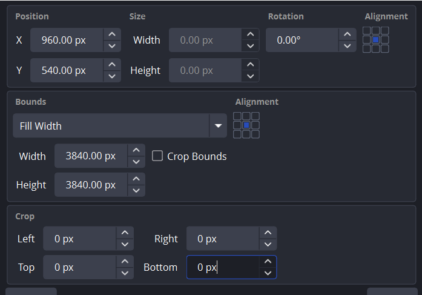
D. Note the settings in the pop-out window so you can copy them to the other camera.
For example, 960.00 px by 540.00 px.
E. Go to the camera with the incorrect zoom, then left-click Edit in the top-left corner of OBS.
Next, click Transform and select Edit Transform.
This opens a pop-out window.
Paste the correct settings into the X and Y position fields.